Some users in China have reported issues being able to connect to Kavita+. At this time we are investigating possible workarounds. Follow the linked github issue for updates.
一些中国用户报告了无法连接到 Kavita+ 的问题。目前,我们正在研究可能的解决方法。请关注此 GitHub 问题以获取更新。
Cancel your subscription here . Uninstalling Kavita does not cancel your subscription. Reach out if you have any issues.
What is Kavita+
Kavita+ is an optional premium service offered by the main developer of Kavita (majora2007 ) which unlocks a set of features for your Kavita application. Kavita+ is a way for me to go full-time on Kavita development. Think of it as a way to support the development of Kavita while also getting some sweet features out of it.
Kavita+ will only ever contain functionalities that are not feasible in the base product, like internet facing functionalities (metadata fetching, scrobbling, etc). No base-Kavita features will ever be locked behind a subscription. The base Kavita application will continue to get frequent updates with new features.
Kavita+ is a monthly subscription for your individual instance and is node-locked. Once active, all users on your server gain the benefit. You can cancel and resume at any time.
Kavita+ supports the latest 3 stable versions of Kavita. Anything outside that window is subject to breakage.
Current Features
- External Metadata (Books/Comics/Manga/Light Novels)
- Supports automatically fetching metadata from Mangabaka , Hardcover , and ComicBookRoundup
- Supports expanded metadata controls to control what data gets written based on YOUR rules learn more
- Scrobbling (Progress Sync)
- Hardcover
- MAL
- AniList
- MangaBaka
- External Recommendations/Reviews/Ratings
- Mangabaka
- Hardcover
- MAL
- ComicBookRoundup (user/critic reviews only)
- Import MAL Stacks
- Remove Donate Link
First-time Subscribers
If you are interested, you can use the promo code FIRSTTIME for your initial signup for a 2$ discount on the first month/year. If you are an active OpenCollective donator, please contact majora2007 for provisioning.
How to Buy
- Navigate to Admin Dashboard -> Kavita+ tab.
- Click the buy button. If you already had a Subscription in the past, use the Manage -> Renew button.
- A Stripe checkout window will collect your read email and payment information. The Kavita team does not have access to your personal information.
- Kavita will redirect to show you your new License Key and email you it.
- Kavita+ uses Stripe for managing financials. The Kavita team does not have any access to your personal information. You must use a valid email to receive your License Key.
- Move to Activate step
How to Activate
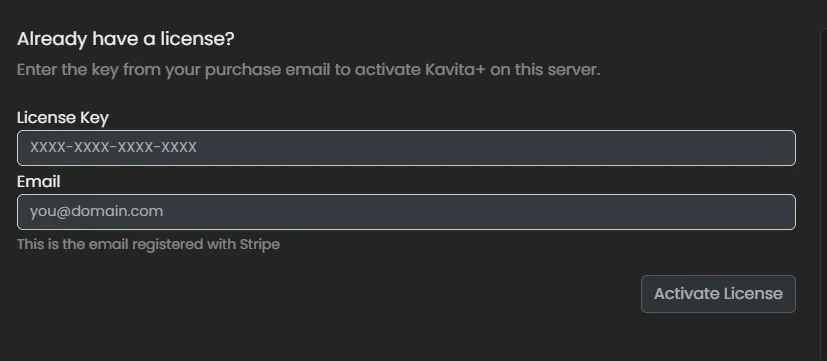
- From the Kavita+ settings page, fill in the same Email you signed up with and License Key.
- Activate
- Once activated, the Kavita+ License Management screen will show. Learn more here
Uninstalling Kavita does not cancel your sub. Contact majora2007 via email/discord at any time if you have issues.