Progress Sync (Scrobbling)
Scrobbling is the act of synchronizing certain activities done on a Server, like Kavita, to an upstream provider, like AniList.
Kavita supports:
- AniList
- MAL
- Mangabaka
- Hardcover *
Each provider in Kavita (Connections setting page) can be configured for which functionalities you want processed.
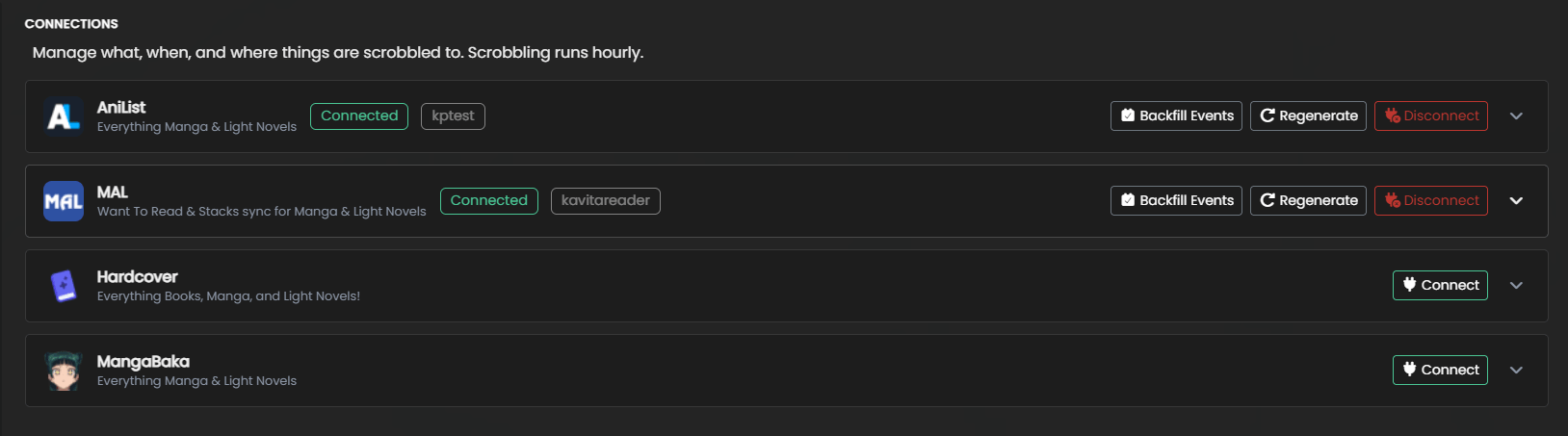
Connect a Provider
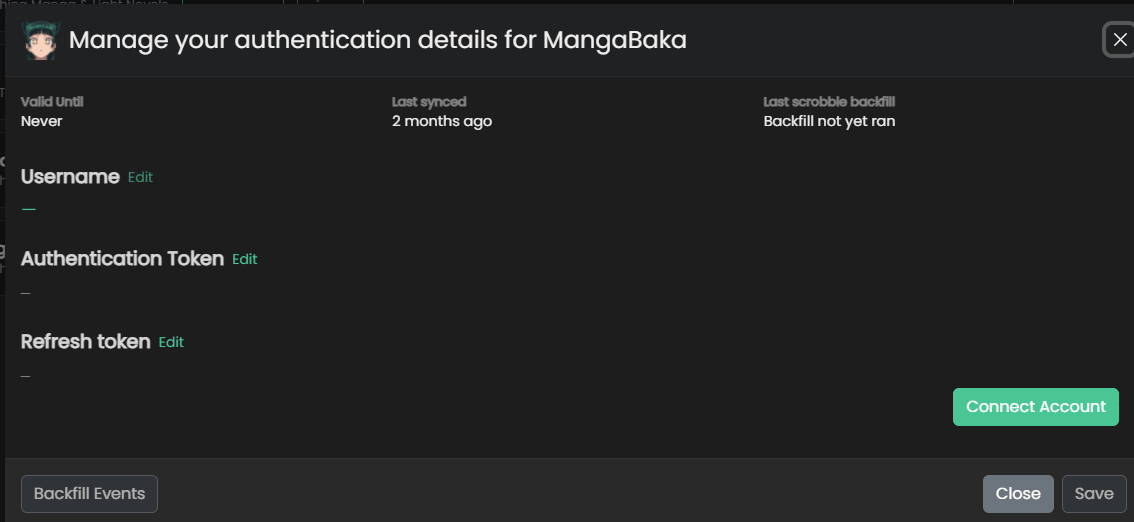
Kavita uses OAuth to manage authentication tokens.
- Click
Connecton the provider - Click
Connect Account. This will launch the OAuth flow and will redirect you back to Kavita. - In the case you are not redirected, you will find in the URL something like
?upstream=1&apiKey=dbbcf530-9p30-4f05-a0d7-04d4d9cb39f7. You can copy the apiKey into Authentication token.
Provider Settings
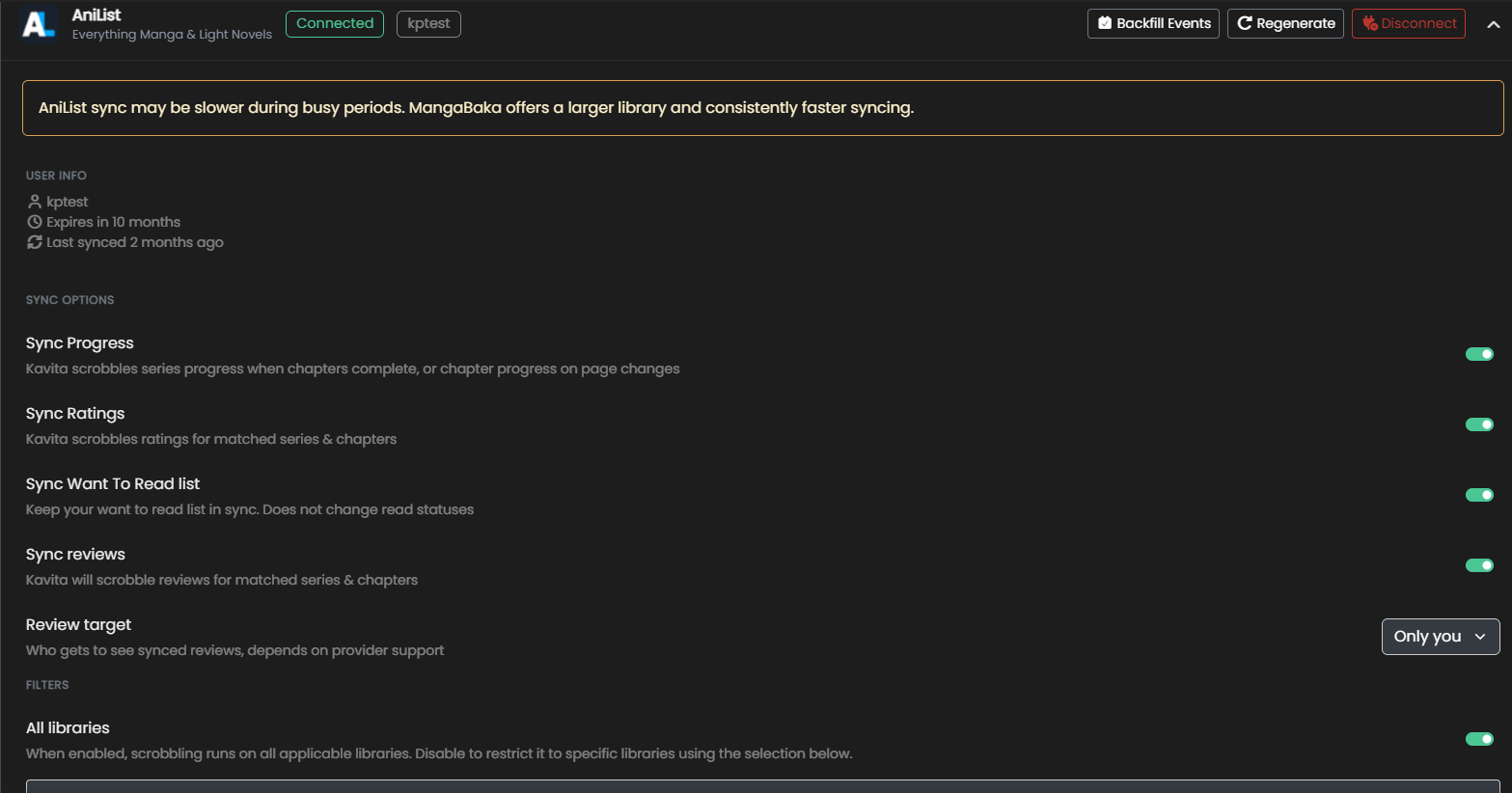
Kavita provides the following settings:
- Sync Progress
- Sync Ratings: Kavita+ will map to your rating settings (ie 0-5, 10, etc on AniList)
- Sync Want to Read List
- Sync Reviews
- Review Target
- Only You - Keep my reviews private. On AniList this will write to the Note field.
- Friends - Let my friends see my review
- Everyone - Make it public
- Library Restrictions
- By default, allow all libraries to scrobble to this Provider.
- Optionally, supply a list of library and only these libraries will use this provider.
- Highest (inclusive) age rating that can be scrobbled
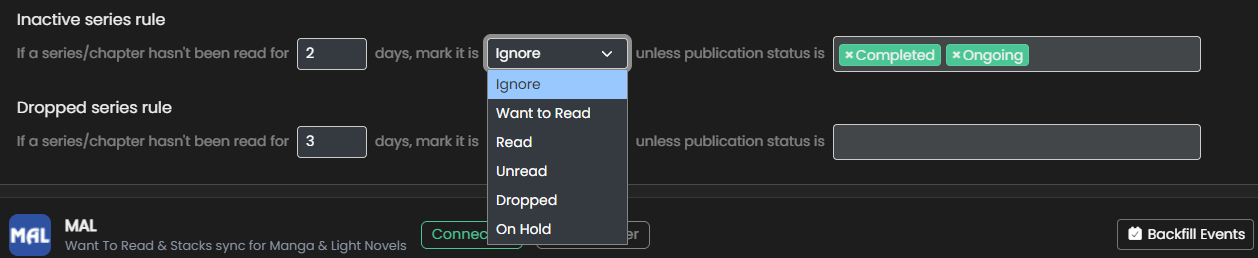
- Inactive/Dropped Series Rules
- A set of flexible rules that marks a series as
Inactivebased on days since last read, and publication status
- A set of flexible rules that marks a series as
Currently, Kavita+ supports AniList for scrobbling and supports the following events:
- Reading Progress
- Want to Read -> Adds a series to Planning
- Rating a series -> Will map to your rating preferences
Backfilling events
When you first setup a Provider, you are likely to want to ensure Kavita is in sync with your upstream provider. Use the Backfill Events button, per-provider to generate events based
on your settings. This will generate a lot of scrobble work, so setup your settings first. This can be run at any time. Scrobbling Providers take the highest of existing + Kavita.
Scrobble Holds
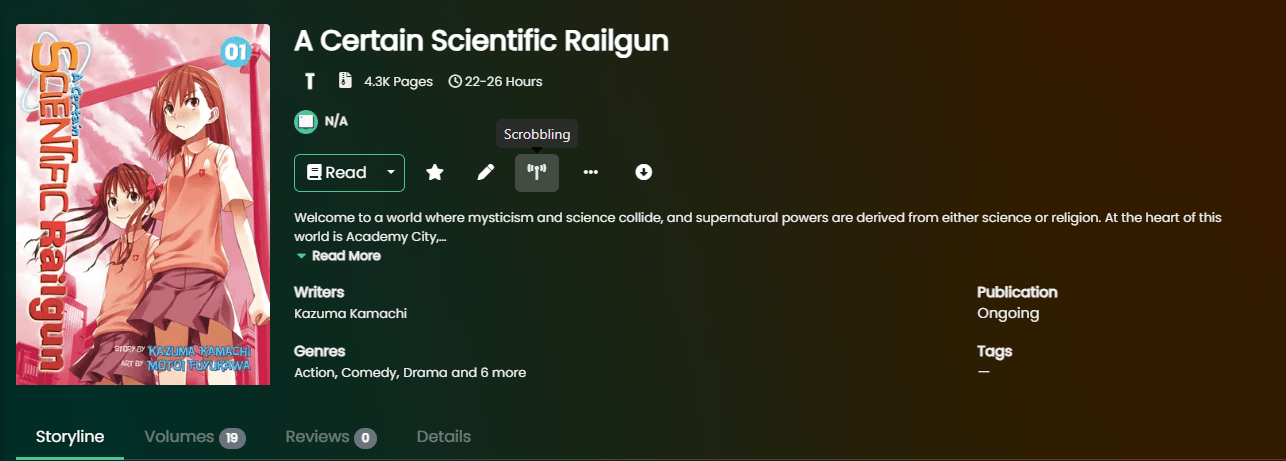
Sometimes you don’t want a Series to ever reach a Scrobble Provider, this is where Holds come into play. You can toggle on/off the Scrobble hold system by clicking the button in the screenshot.
You can view all scrobble holds on the Scrobbling Holds page.
Restrictions
Kavita will not perform scrobbling under the following conditions:
- A previous scrobble attempt was made and the series was not found (Series is Blacklisted - Fix the match in Matched Metadata)
- The series has Don’t Match set (Series -> Match -> Don’t Match)
- The series has a Hold on it (user-specific scrobble hold)
- The library of that series has Scrobbling off (for all users)
- There is no external id set on the series (Similar to Series being Blacklisted, Match to correct)
Scrobbling will always ensure the highest between AniList and Kavita is taken. So if AniList has 10 volumes read and Kavita reports 5, nothing will change. This is to ensure users that use multiple syncing services or have an existing history will not have issues.
Kavita will scrobble once every hour. This period is not adjustable. Kavita will always scrobble the highest between existing read points and Kavita’s record.
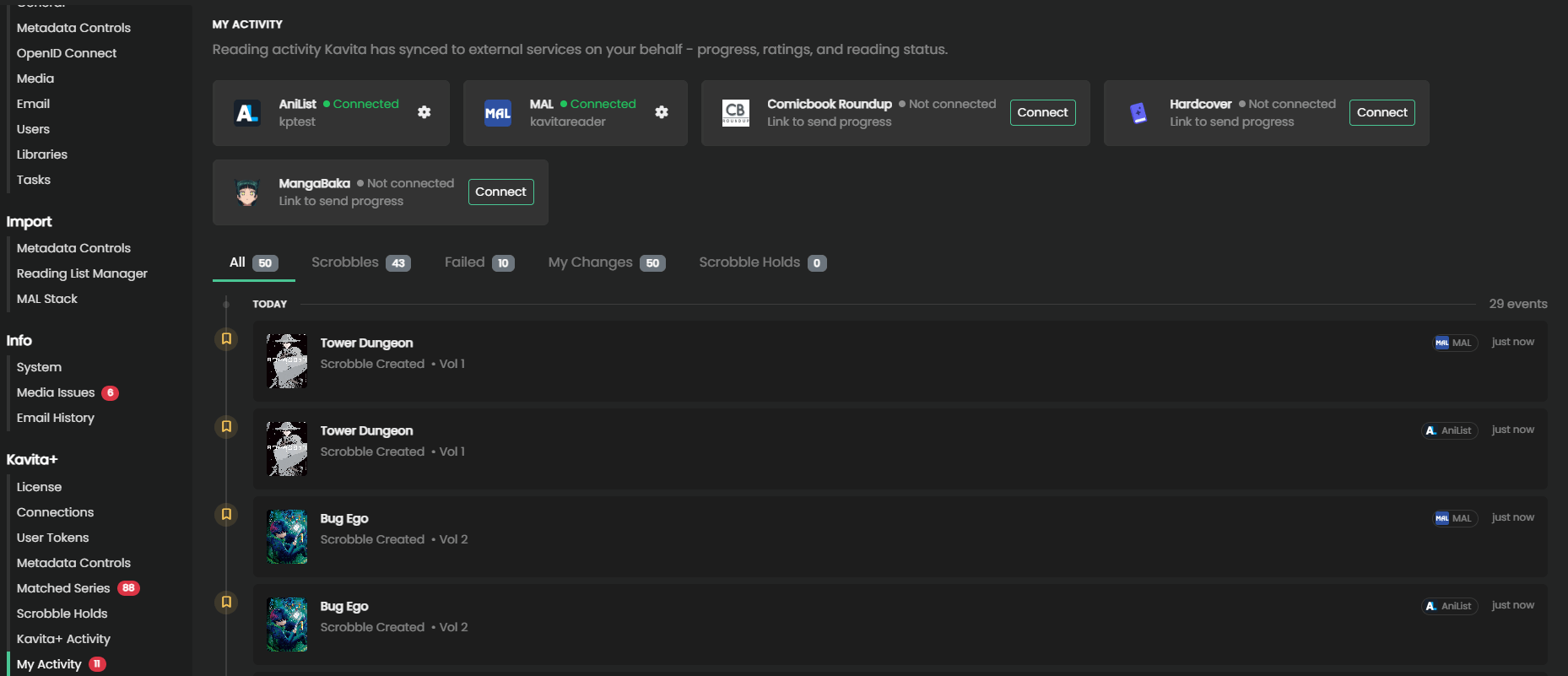
My Activity
A user can view their activity from this settings page to see which provider received a scrobble event.
User Tokens (pre-v0.9.1)
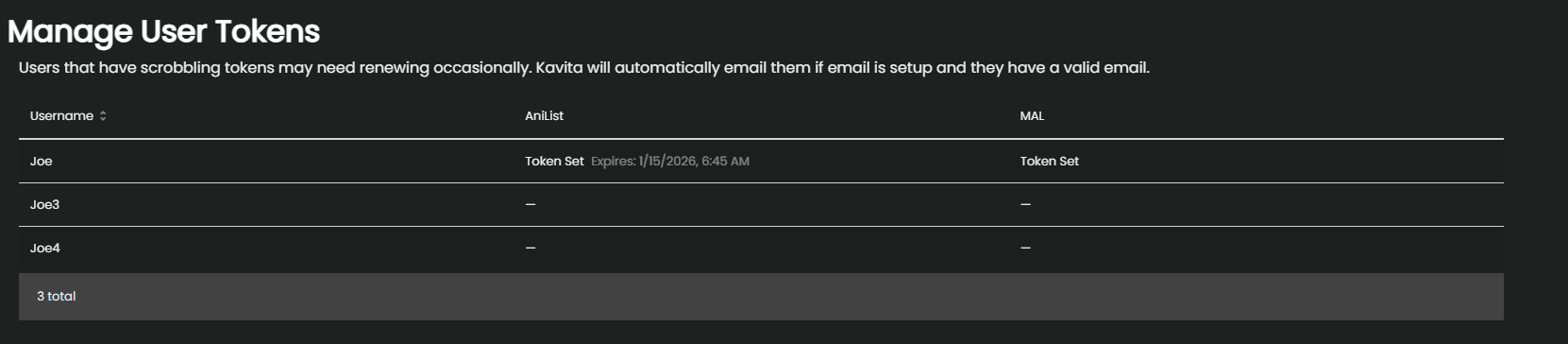
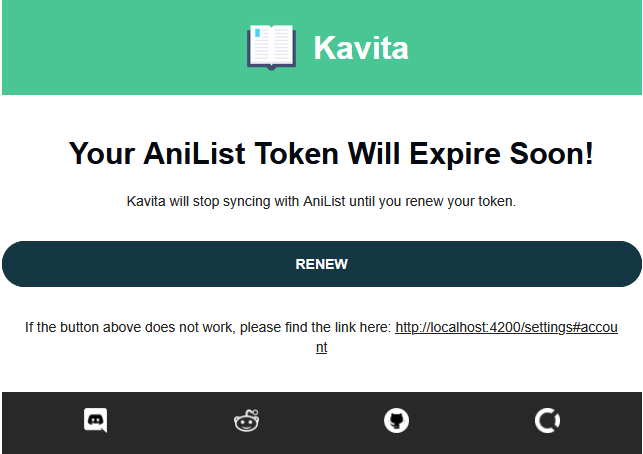
When users on the server use Progress Sync (Scrobbling), their tokens expire sometimes. As of v0.8.5, if SMTP is setup and the user has a valid email, Kavita will email them to refresh their tokens twice before the token expires. In the case that nothing is refreshed, scrobbling will stop working.
Admins can use this screen to keep an eye on their users and help nag them when they will be impacted.
Hardcover Notes
Rate Limits: Hardcover subscribers have a higher rate limit and may experience fewer rate-limit issues. Under normal load, we do not expect users to encounter issues.
Edition Requirements: For a book to be scrobbled to Hardcover, it must have at least one edition with a page count greater than zero. See an example here.
Most books will already have at least one edition with a page count. If the book you’re trying to scrobble does not, you can create an edition yourself or reach out to the Hardcover community through their Discord server for assistance.
Selecting an Edition: If you want to read a different edition of a book, select that edition on Hardcover. Kavita+ will use the edition you’ve selected when scrobbling.