CBZ Cover Manager
CBZ Cover Manager is a lightweight, fast, and feature-rich desktop GUI application built with Python and Tkinter for managing, assigning, and modifying front and back covers of CBZ (Comic Book Archive) files.
It provides an intuitive interface with drag-and-drop support, auto-matching capabilities, and safe asynchronous zip operations to ensure your comic archives are updated efficiently without corrupting data.
Features
- Drag and Drop Support: Seamlessly drag and drop CBZ files, folders, or images directly into the application.
- Fast ZIP Operations: Uses intelligent, cache-backed ZIP operations (
fastappendcovers) to append covers without requiring full extraction and recompression when possible. - Responsive UI & Dark Mode: Virtual scrolling for high performance even with hundreds of loaded files, plus a built-in Dark Mode toggle.
- Real-Time Filtering: Search and filter your loaded CBZ files instantly to apply targeted changes.
- Smart Auto-Assignment: Automatically matches loose image files to corresponding CBZ files by extracting volume numbers (e.g.,
v01,vol.7,volume 12). - Global Cover Assignment: Apply a specific front or back cover to all loaded CBZ files or a filtered subset with one click.
- Manual Assignment: Drag and drop images onto individual CBZ preview panels to assign them manually.
- Cover Deletion: Easily mark the first or last images inside a CBZ for deletion to clean up unwanted metadata or ad pages to all loaded CBZ files or a filtered subset with one click.
- Set as Cover from CBZ: Mark currently previewed page from Navigation as Front/Back Cover.
- Priority: Manual > Auto > Global.
- Remove Covers: One click removal of everything this program has added without touching your original files.
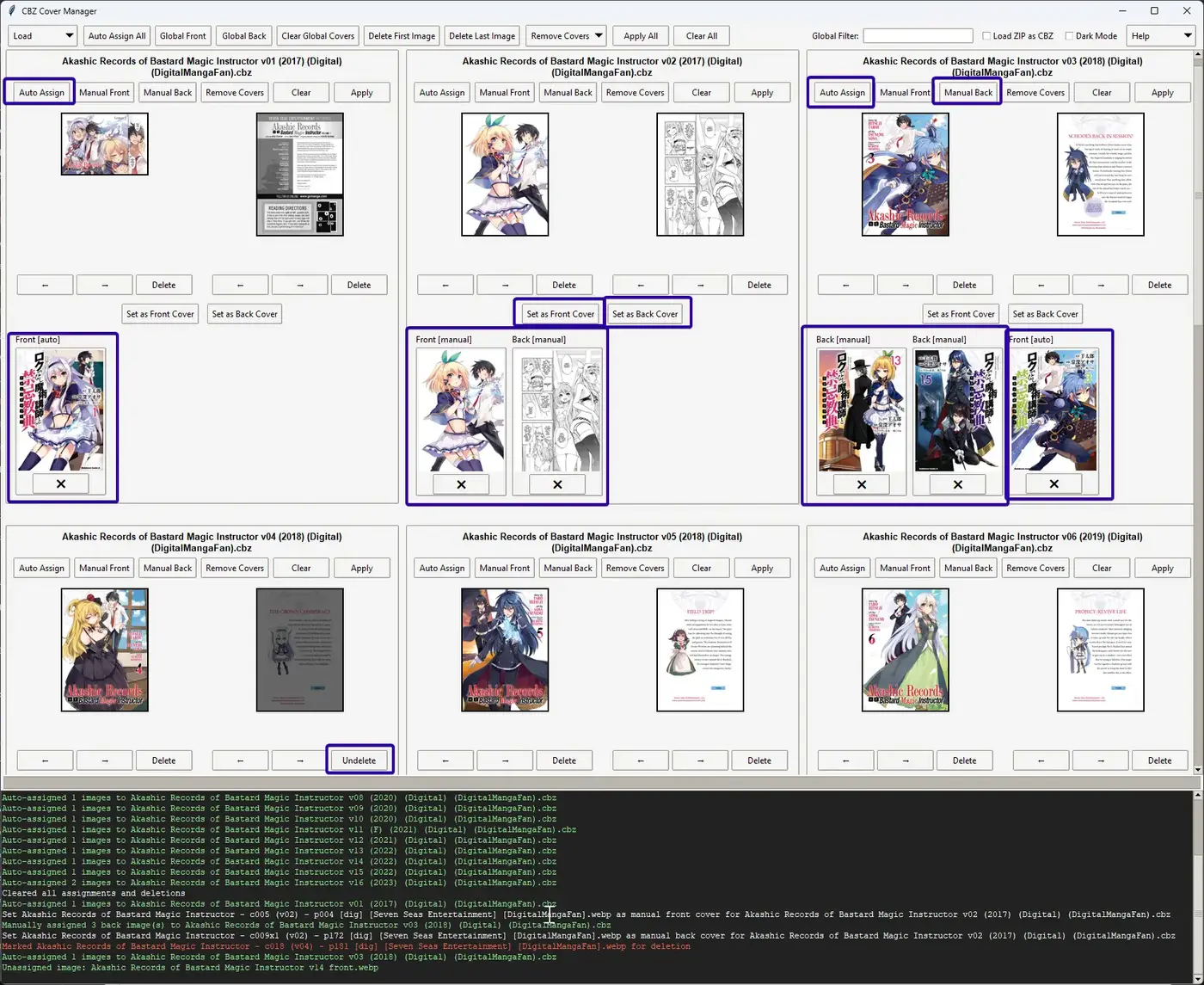 Example Preview of GUI showing Manual Assign, Auto Assign, Set as Front/Back Cover and Delete in Play.
Check the Github page for requirements and more info!